# Getting started
> Six steps, about ten minutes. By the end an agent is working on your project in its own branch, and you can answer it from your phone.
Source: https://sesh.codes/docs/getting-started/
## Install Sesh
1. Join the Sesh beta on TestFlight: [testflight.apple.com/join/VtsK8NNX](https://testflight.apple.com/join/VtsK8NNX). It installs Sesh for Mac, iPhone and iPad.
2. Open **Sesh**.
Sesh is free on every device, with no trial and no subscription.
## Set up this Mac
Agents run in seshd, Sesh's free background service. Sesh walks you through installing it once.
1. When Sesh shows **Run Agents on This Mac**, click **Download Sesh Host**.
2. Open **Sesh-Host.pkg** in your Downloads folder and follow the installer.
3. Come back to Sesh. It connects on its own.
Prefer Terminal or Homebrew? Click **Use Terminal instead** and paste the command it shows. Only running agents on other machines? Click **Not Now**, and set this Mac up later in **Settings › Machines**.
To remove seshd later, run `~/.local/bin/seshd uninstall` in Terminal. Your sessions and worktrees stay.
seshd keeps your sessions running after you close the window or quit Sesh.
> **Open at login, and the menu bar.** Once setup is done, Sesh asks whether to open at login. Say yes and it keeps notifying you after a restart, from the menu bar. Change either in **Settings › General**.
## Get an agent
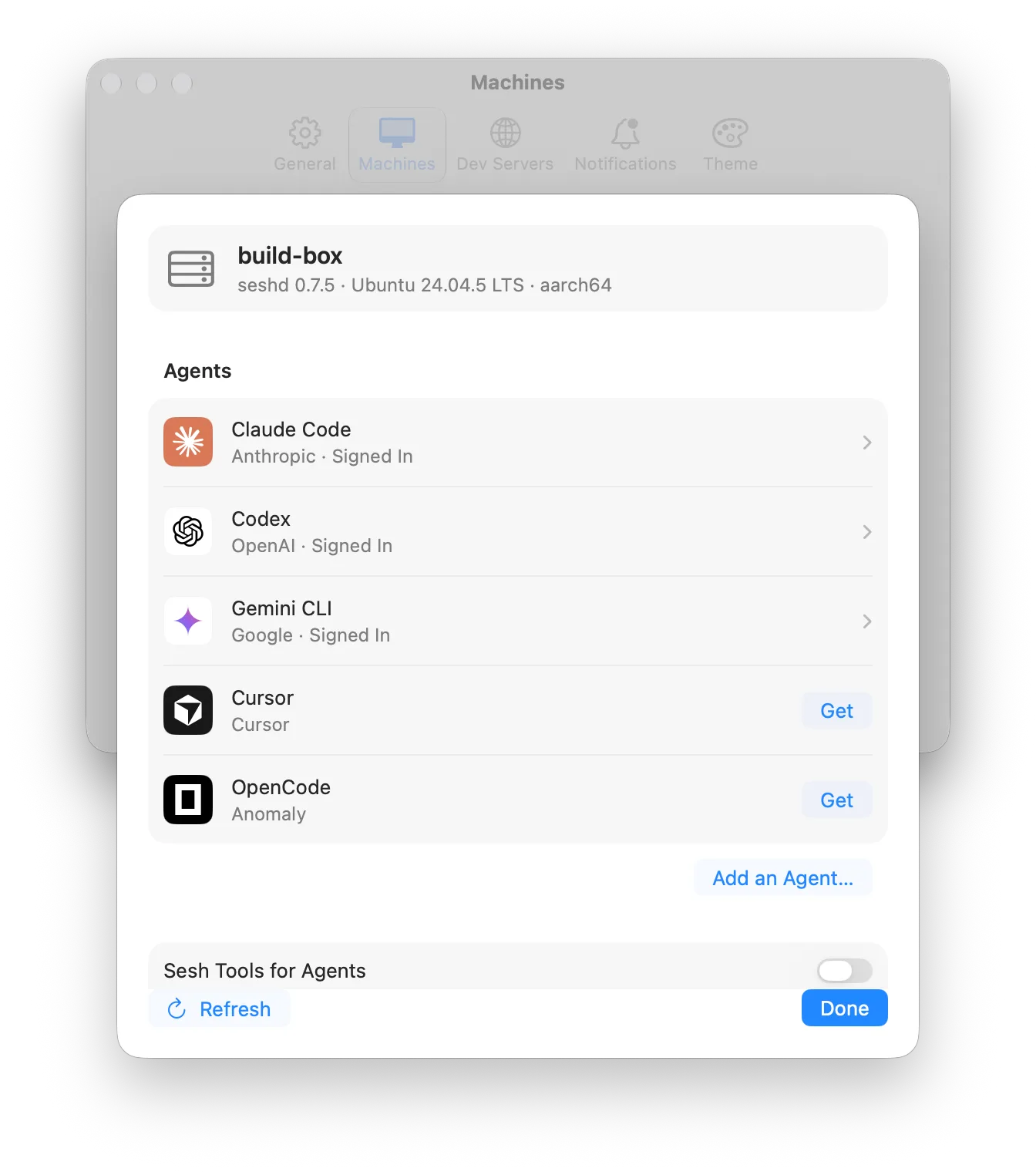
Sesh works with Claude Code, Codex, Gemini CLI and Cursor out of the box, and with any agent in the ACP Registry.
1. Choose **Sesh › Settings…** (⌘,), then click **Machines**.
2. Next to **This Mac**, click **Details…**.
3. Under **Agents**, click **Get** next to the agent you want.
4. Click the agent, then **Sign In…** next to **Account**.
## Start a session
1. Press ⌘N, or choose **File › New Session…**.
2. Choose a project. Not listed? Click **+**, then **Clone Repository…** or **Add Folder…**.
3. Pick an agent and type what it should work on.
4. Leave **New branch** on, then click **Start**.
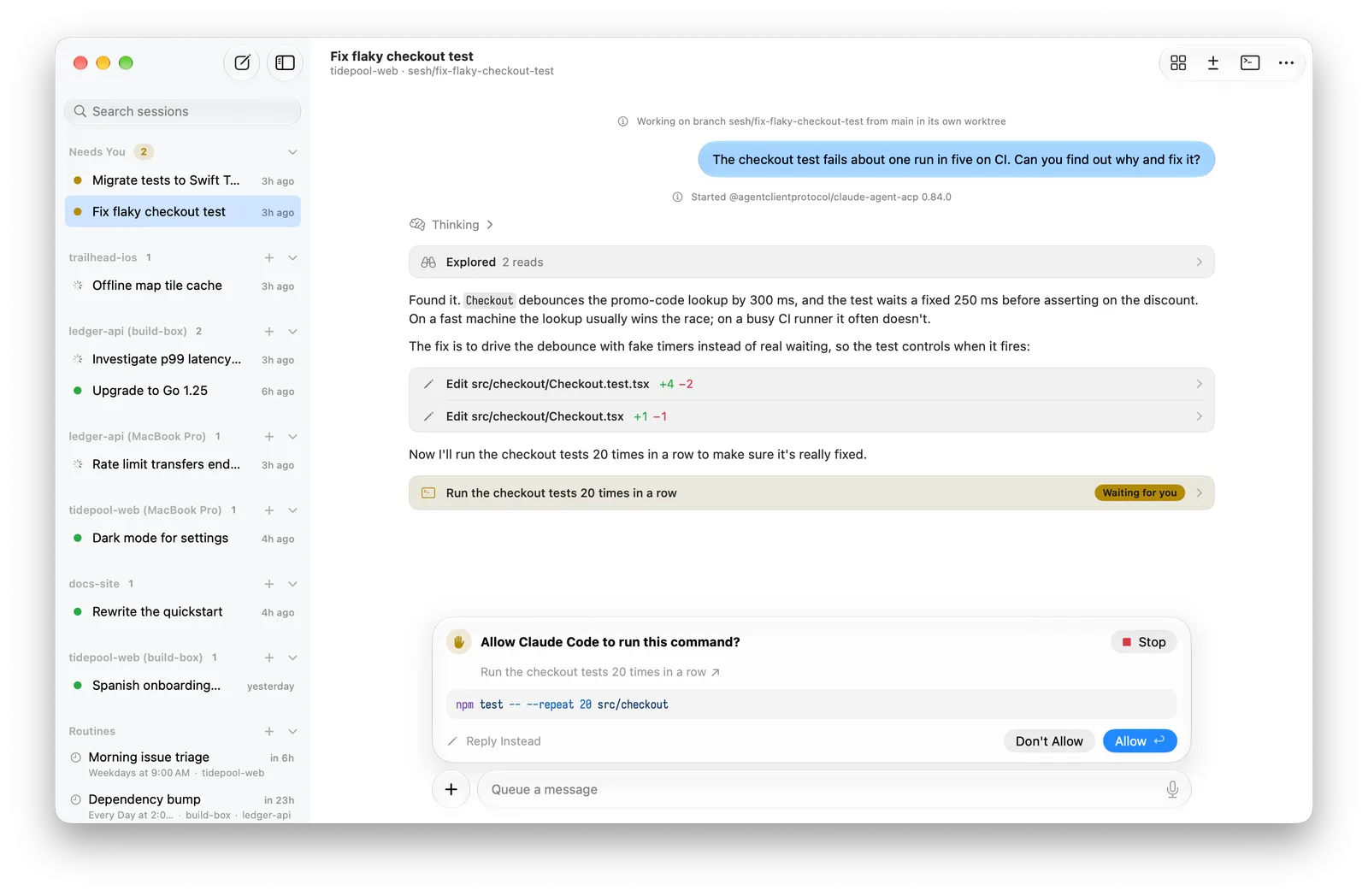
**New branch** gives the agent its own copy of the project on a new branch, so two sessions never step on each other. **Autonomous** lets the agent work without stopping to ask; it's off until you turn it on. See [Sessions, branches and worktrees](https://sesh.codes/docs/branches-and-worktrees.md) and [Approvals and Autonomous mode](https://sesh.codes/docs/approvals-and-autonomous.md).
## Answer the agent
When the agent wants to run a command or edit a file, it asks. The session moves to **Needs You** in the sidebar and the menu bar, and a notification appears.
1. Read the request in the panel above the message box.
2. Click **Allow** to answer once, or **Always Allow** to stop being asked about the same thing. **Don't Allow** and **Never Allow** say no. [Approvals and Autonomous mode](https://sesh.codes/docs/approvals-and-autonomous.md) explains how long "always" lasts.
You can also click **Allow** on the notification or in the menu bar without opening the session. And you can type while the agent works: your message waits and goes out when it finishes.
## Take it with you
Install Sesh on your iPhone or iPad (the same [TestFlight link](https://testflight.apple.com/join/VtsK8NNX)) and sign in with the same Apple ID as your Mac. Your Mac and every machine you've added show up on their own through iCloud.
On a different Apple ID? Pair the device with a code: [Add a machine](https://sesh.codes/docs/add-a-machine.md#pair-an-iphone-or-ipad) has the steps.
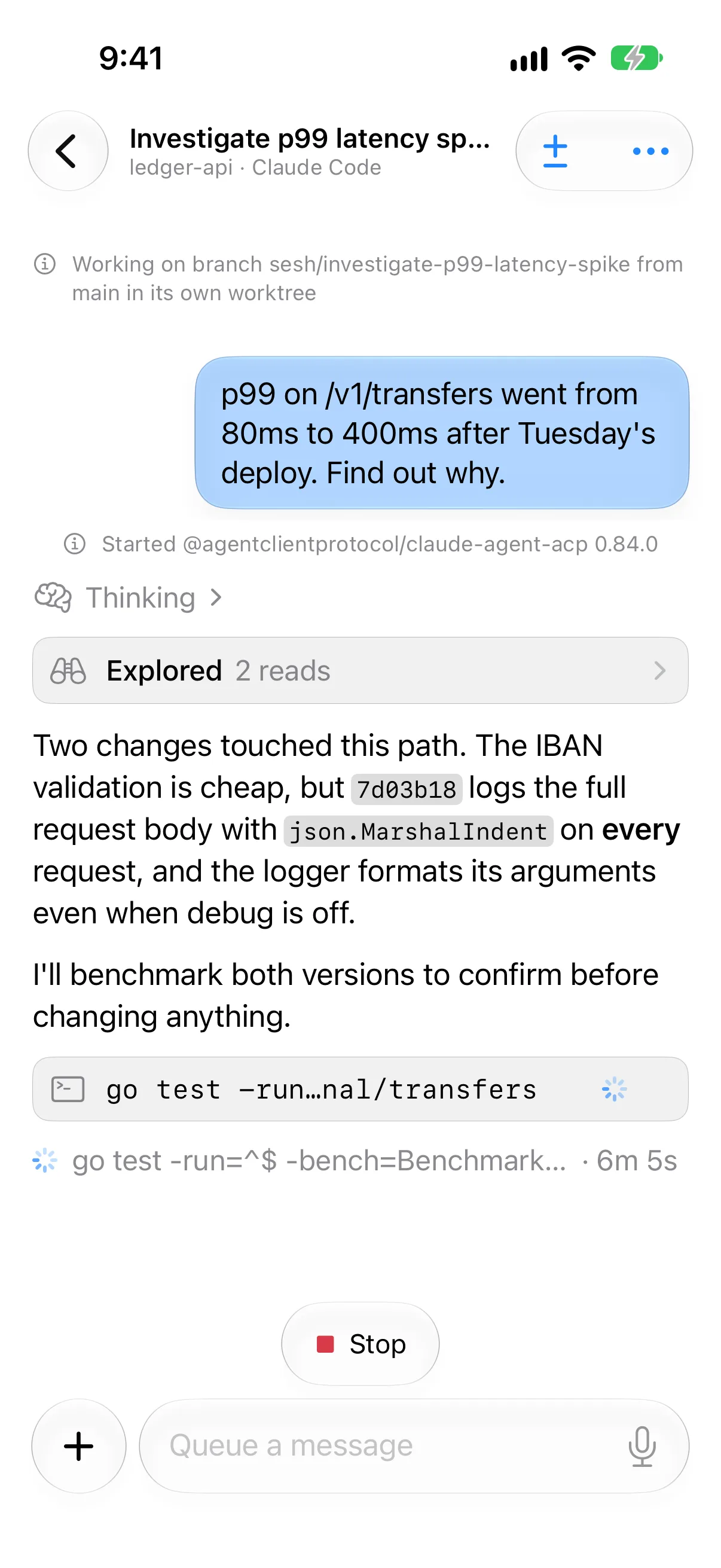
Want agents on another computer too, like a Mac mini or a Linux box? That's in [Add a machine](https://sesh.codes/docs/add-a-machine.md) as well.
## What next
- [Review and push changes](https://sesh.codes/docs/review-and-push.md): comment on the diff and open a pull request.
- [Routines](https://sesh.codes/docs/routines.md): run a task every morning, or try one task three ways and keep the best.
- [Agents that start sessions](https://sesh.codes/docs/agents-that-start-sessions.md): let one agent split the work and follow it.
- [Notifications](https://sesh.codes/docs/notifications.md): the Lock Screen, the floating chip and Apple Watch.